A read it later app for iPhone
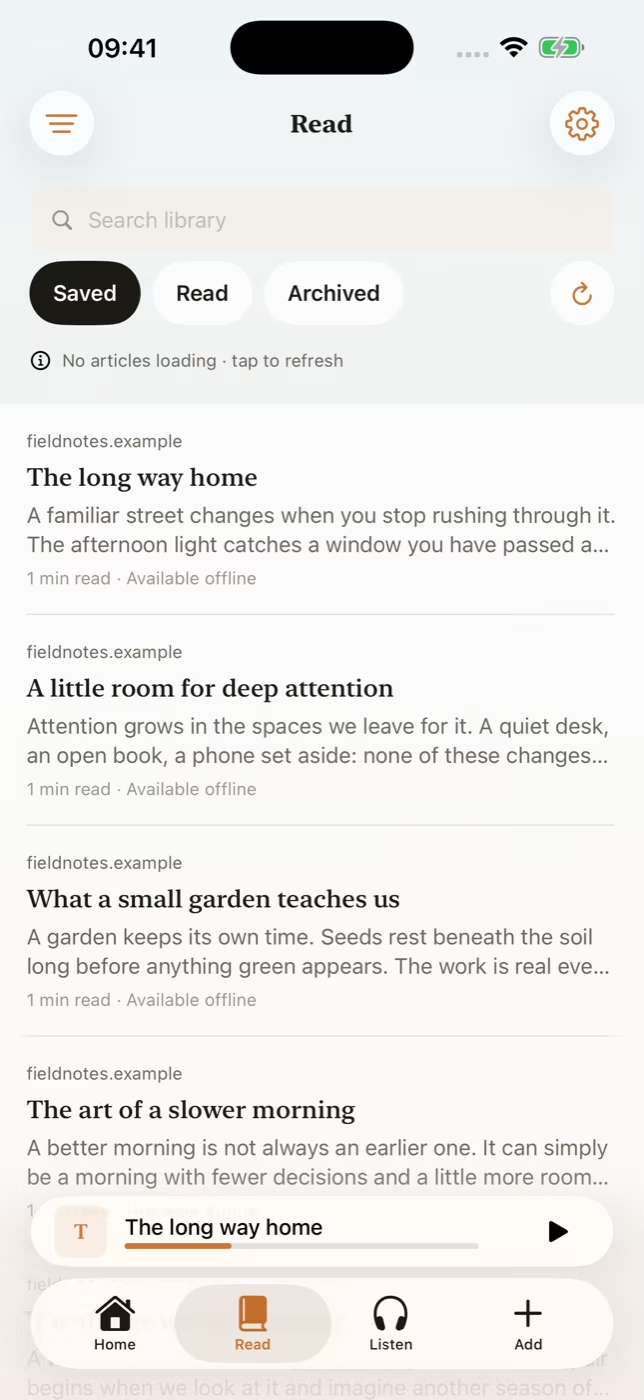
Save the article you don’t have time for now. Someday keeps your reading on your iPhone so you can return to the text or prepare it for offline listening.
How do I save something to read later?
Share an article from Safari to Someday or paste its link in the app. You can also import local PDF, EPUB and Word (.docx) documents from Files.
At your computer, use the free Save to Someday extension to save links to your own iCloud or Google Drive. On iPhone, choose which collections to import. Someday can also pull in selected Raindrop.io collections and links from Dewey or RSS feeds.
How do I find my place again?
Search the Someday library to find an article you saved. Open it in the focused reader, change the text appearance and pick up from your saved position.
Can my reading list read aloud?
Someday can turn saved articles and supported documents into audio on your iPhone. Preview 17 American and British English voices, follow highlighted words with Read Along or prepare audio to listen offline.
Coming from Pocket?
If you moved your Pocket links to Raindrop.io, import the collections you want in Someday. If you still have your original Pocket file, see which Pocket alternatives accept exports.
Frequently asked questions
Is Someday a read it later app?
Yes. Someday saves articles and supported documents in a searchable iPhone library, remembers your reading position and can prepare them for offline listening.
Can I save from Chrome and read on iPhone?
Yes. Save links using the free Chrome extension, then import from your own iCloud or Google Drive storage in Someday on iPhone.
What documents can I save?
Someday supports local PDF, EPUB and Word (.docx) files, alongside shared and pasted article links.
Can I read saved articles offline?
Yes. After Someday has imported the article and its text, you can open that text on your iPhone without a connection.
Your reading list, ready offline
Someday saves articles and documents, creates narration on your iPhone and plays the audio offline. It costs US$1.99 a month and needs no Someday account. The Save to Someday Chrome extension is free.