FREE CHROME EXTENSION · COMING SOON
Save to Someday.
Save articles and links to a reading list stored in your own iCloud or Google Drive account.
Awaiting Chrome Web Store approval. A download link will appear here after approval and publication.
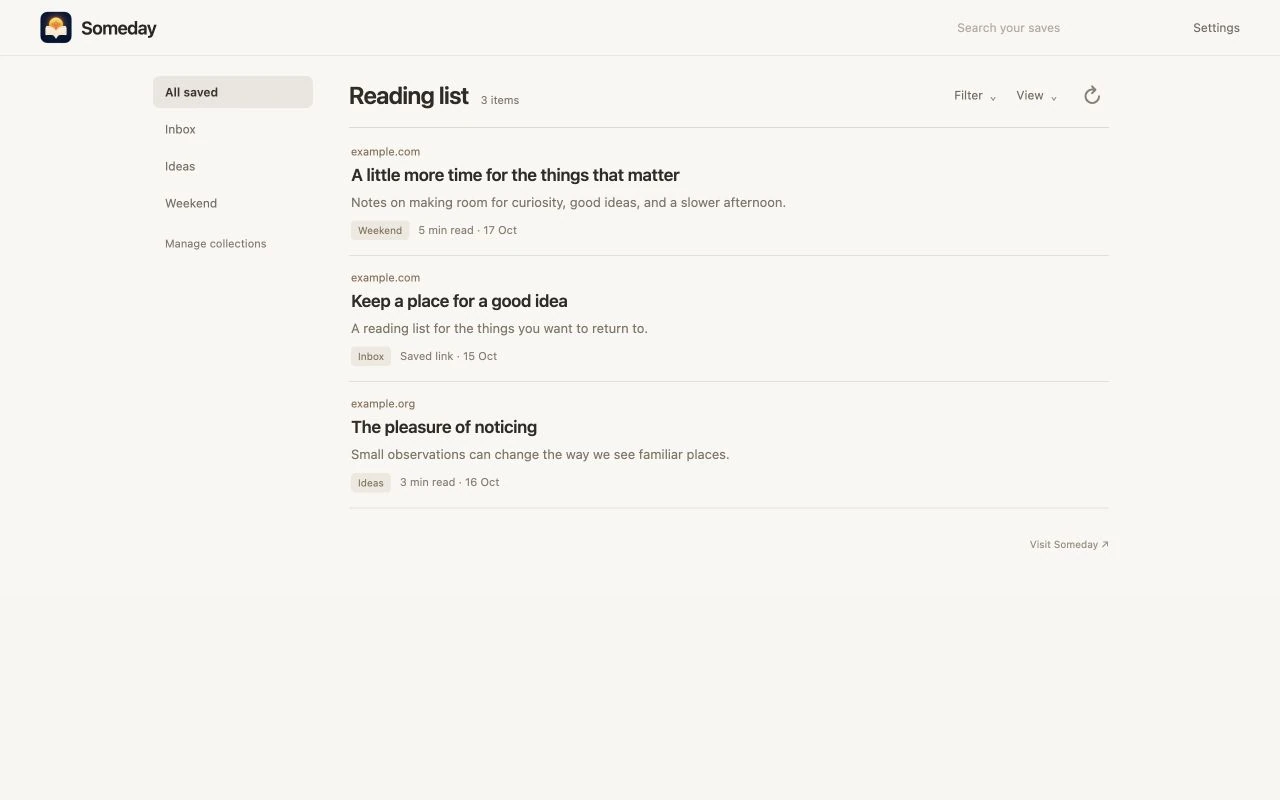
Save the article. Keep the link.
Open the extension on a page, choose a collection and save. Someday extracts readable article content when available. If extraction fails, it saves the URL so you can return to the source.
Your cloud account, your reading list.
Choose private iCloud storage or Google Drive’s hidden app-data storage. Someday does not run a server that stores your saved articles. Apple or Google handles sign-in; the extension does not receive your password.
Google Drive access is limited to Someday’s app-data storage. It does not grant access to unrelated Drive files. Article images can still load from the original publisher’s servers.
Find what you saved.
Organize articles into collections, search your saves, filter by source or collection, and sort by date added. Use the browser reading list to read saved content or open the original page.
Free extension. Optional iPhone companion.
The Chrome extension is free. The Someday iPhone app has a separate subscription. Version 1.1 of the app adds import from the extension’s iCloud or Google Drive storage; that update is still being tested. Imported items become part of your local iPhone library. This is not full-library sync.
Questions
Can I install it now?
Not yet. Save to Someday is pending Chrome Web Store review. We will add the official installation link after approval and publication.
Does it collect my browsing history?
No automatic browsing-history collection. It prepares the page you open it on and saves that page when you choose Save.
Does disconnecting delete my saved articles?
No. Disconnecting, switching storage or uninstalling the extension does not delete existing cloud saves. See the deletion instructions in the bookmark privacy policy.