Listen to articles offline on iPhone
Share an article from Safari to Someday or paste its link. Open the saved article and start preparing audio. Once your iPhone finishes, you can play it offline.
How do I turn an article into audio?
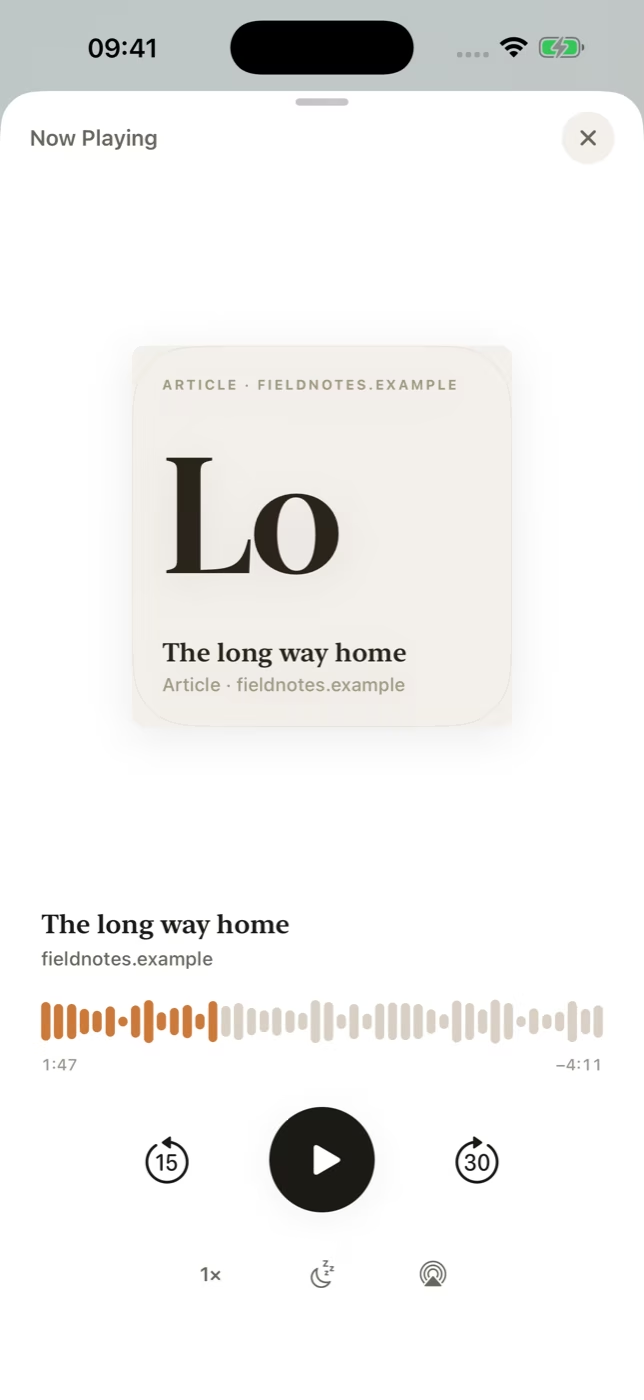
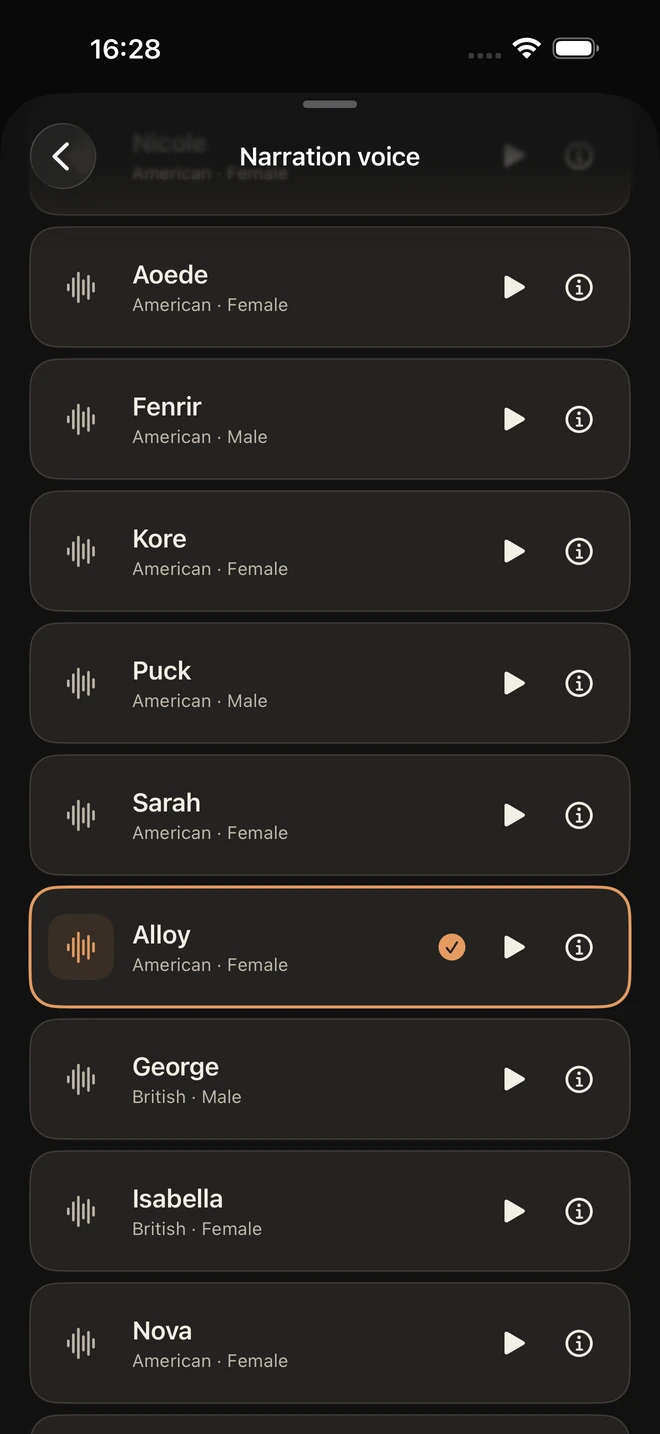
Save an article in Someday, choose a narration voice and prepare audio from the article. Your iPhone generates and stores the narration, so you can start listening from the saved item when it’s ready.
Which voices can I use?
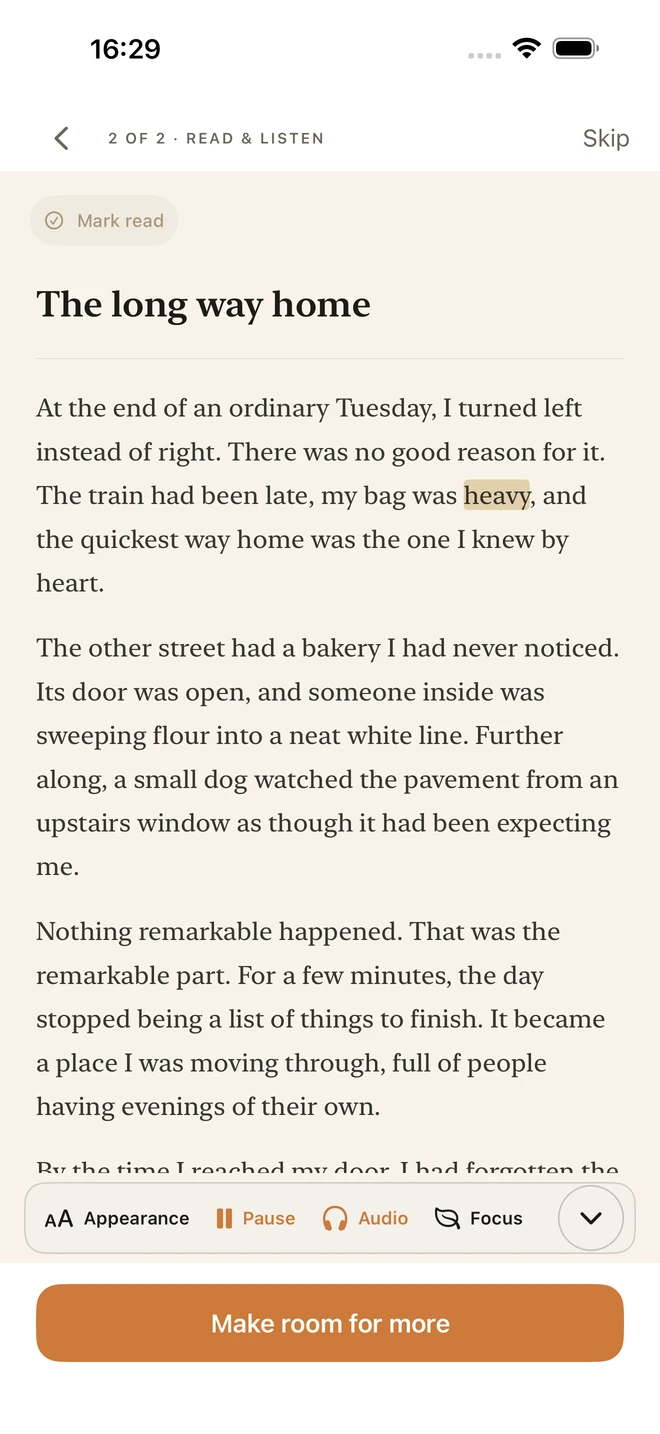
Someday includes 17 American and British English voices that you can preview before choosing. During playback, Read Along highlights each spoken word, and you can change the speed or set a sleep timer.
What works without an internet connection?
Someday plays completed audio offline because the narration is stored on your iPhone. If an article is still on the web, import it and let narration finish before boarding a flight or heading somewhere without signal.
How long does preparation take?
Preparation time depends on the length of the article and the iPhone. Someday supports items up to 150,000 characters and includes narration without a monthly audio-hour quota.
Frequently asked questions
Can I turn a webpage into audio on iPhone?
Yes. Share the article from Safari to Someday or paste its URL, then prepare narration from the imported article text.
Can I listen to articles in airplane mode?
Yes. Finish preparing narration in Someday before departure. Completed audio is stored locally and plays in airplane mode.
Can I listen to PDFs or ebooks too?
Someday can narrate text from supported local PDF, EPUB and Word (.docx) files.
Can I read along with the narration?
Yes. Read Along highlights each word as it’s spoken in the Someday reader.
Your reading list, ready offline
Someday saves articles and documents, creates narration on your iPhone and plays the audio offline. It costs US$1.99 a month and needs no Someday account. The Save to Someday Chrome extension is free.